





Blog

Why Choose an RFID Printer for Your Business?
Choosing the right Rfid Printer can influence every stage of your labeling workflow. It affects speed, accuracy, labor, and product visibility. A dependable printer produces readable RFID tags with consistent encoding. That matters when cartons move through receiving docks, warehouses, and shipping areas.
Mark Roberti, founder of RFID Journal, once said, “RFID is not a technology looking for an application.” His point remains practical. Businesses should select an Rfid Printer because it solves a clear operational problem. For example, a warehouse may need faster pallet identification. A retailer may need reliable item-level tracking. A manufacturer may require durable labels for heat, dust, or vibration.
Small details matter.
A strong printer should support the required tag sizes, encoding standards, and print resolution. It should also provide clear error messages when a chip fails verification. Operators should not need advanced technical training for every adjustment. Easy calibration can prevent wasted labels and interrupted production. Yet, the most expensive model is not automatically the best choice. That assumption deserves review.
The correct decision depends on volume, materials, software compatibility, maintenance, and staff capability. Testing sample tags is wise before committing to a large purchase. A printer may perform well in a showroom but struggle with curled labels or changing temperatures. Careful evaluation creates more reliable results. Still, no device removes every implementation risk. Businesses must monitor performance, train users, and review data quality over time. An Rfid Printer becomes valuable when it supports a measured, repeatable process.
What Is an RFID Printer and How Does It Work?
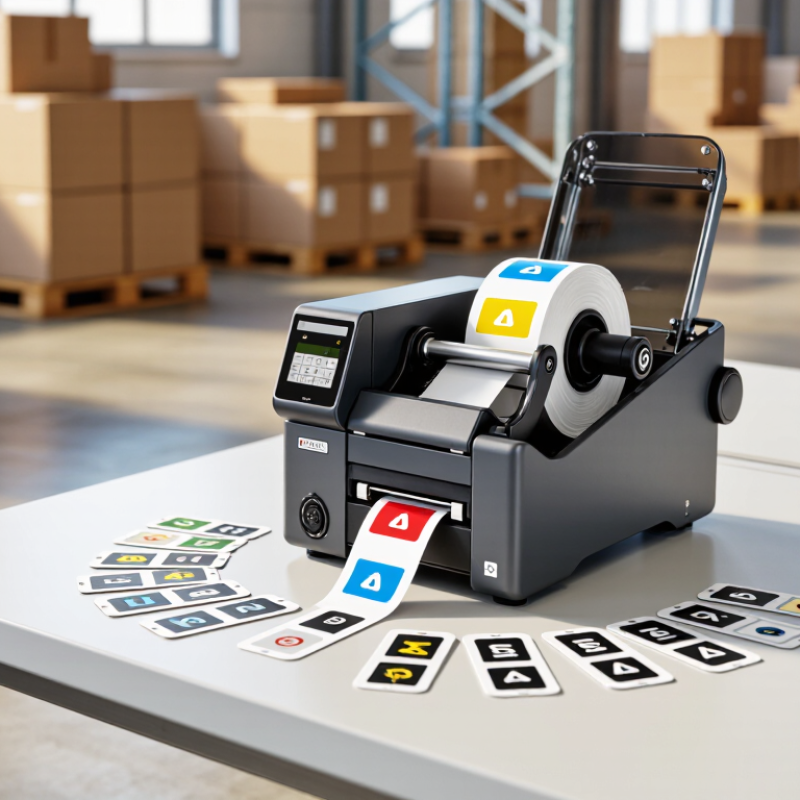
An RFID printer creates labels that combine printed information with digital identity. It prints text, barcodes, and graphics on an RFID inlay. The inlay contains a microchip and antenna. During printing, the printer sends encoded data to the chip. It then checks whether the tag responds correctly. A reader can later capture many tags without direct line-of-sight.
This process supports receiving, stock counts, shipping, and returns. Auburn University’s 2023 ARC Benchmarking Report found that mature RFID deployments can achieve inventory accuracy above 95%. IDTechEx’s 2024 RFID Forecasts report also projects strong market expansion through 2034. These figures show potential, not guaranteed results. Poor tag placement, metal surfaces, or incorrect encoding can still create missed reads. It is not magic. I have seen simple setup errors cause expensive rework.
Tips: Test several label materials before full deployment. Keep the encoded identifier linked to your inventory system. Print a human-readable code for manual recovery. Verify every batch with a reader. Do not assume one antenna setting fits every product. Start with a small workflow, measure read rates, and adjust the process. A useful RFID printer should reduce repeated scanning, but it may add maintenance and training costs. That trade-off deserves honest review.
Why Choose an RFID Printer for Your Business? - What Is an RFID Printer and How Does It Work?
| Business Dimension | How an RFID Printer Works | Business Value | Key Fact |
|---|---|---|---|
| Core Function | Prints visible information such as text, barcodes, and graphics while encoding digital data to an RFID inlay embedded in a label or tag. | Combines label printing and electronic identification in one workflow, reducing the need for separate encoding equipment. | Print + Encode |
| Identification Method | Uses radio communication between the printer's RFID reader and the tag chip. The printer can also verify whether the tag was encoded successfully. | Supports automated data capture and helps reduce manual scanning and data-entry errors. | Contactless |
| Common RFID Frequency | UHF RFID commonly operates in the 860–960 MHz range, with the exact permitted range depending on regional regulations. HF RFID operates at 13.56 MHz, while LF RFID commonly operates at 125–134.2 kHz. | Frequency selection can be matched to read range, material conditions, and application requirements. | Application-Dependent |
| Power Source of Typical Tags | Most supply-chain RFID labels use passive tags, which receive operating energy from the reader's radio signal and do not contain a battery. | Passive tags can be thinner, lighter, and suitable for high-volume item, carton, and pallet identification. | Usually Passive |
| Visible Label Content | Thermal transfer or direct thermal printing can place human-readable text, serial numbers, logos, and one-dimensional or two-dimensional barcodes on the label. | Employees can use visual information or barcode scanning when RFID reading is unavailable or unsuitable. | Human + Machine Readable |
| Electronic Data | Depending on the tag type, the printer may encode an electronic product identifier, serial number, asset number, batch reference, or other application data. | Creates a digital identity that can be linked to inventory, shipping, receiving, and traceability records. | Unique Identity |
| Typical Print Resolutions | RFID-capable thermal printers are commonly available in 203, 300, or 600 dots per inch. The appropriate resolution depends on label size, barcode density, and required image detail. | Allows businesses to select a balance between print detail, label format, and equipment cost. | 203–600 dpi |
| Data Accuracy | Many RFID printer workflows include tag-read verification after encoding. Failed or unreadable inlays can be rejected before the label is applied. | Helps prevent unusable tags from entering inventory or shipping processes. | Verify Before Use |
| Material Considerations | Metal and liquids can affect UHF RFID performance. Specialized tag designs, suitable inlay placement, and application testing may be required for these materials. | Improves read reliability in challenging environments such as metal containers, liquid products, and industrial assets. | Test Required |
| System Integration | Printer workflows can receive variable data from warehouse, inventory, manufacturing, shipping, or enterprise software through compatible interfaces and print commands. | Supports automated label creation and reduces duplicate data entry across operational systems. | Workflow Ready |
| Readability Advantage | RFID readers can identify tags without requiring direct line of sight, subject to tag orientation, reader configuration, surroundings, and operating frequency. | Enables faster identification of multiple tagged items compared with scanning each barcode individually. | No Direct Line of Sight |
| Recommended Evaluation Criteria | Before deployment, evaluate tag compatibility, required read distance, label material, printer throughput, encoding reliability, software integration, and total operating cost. | Helps ensure that the selected RFID printer fits the real business process rather than only the printing requirement. | Pilot First |
Note: RFID performance depends on the frequency, tag design, reader configuration, label placement, surrounding materials, and local regulatory requirements. Actual results should be validated with representative products and operating conditions.
